|
|
In the name of God who created with love 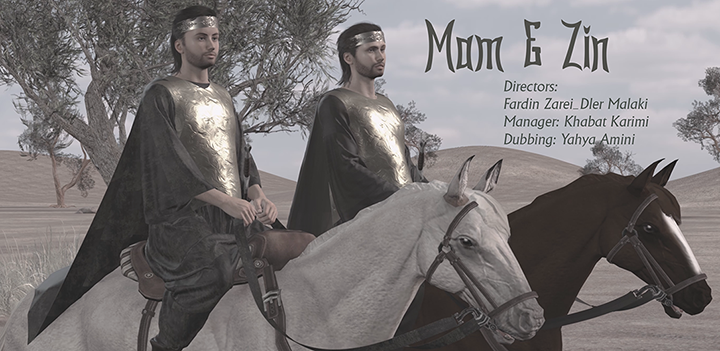
Mam & Zin 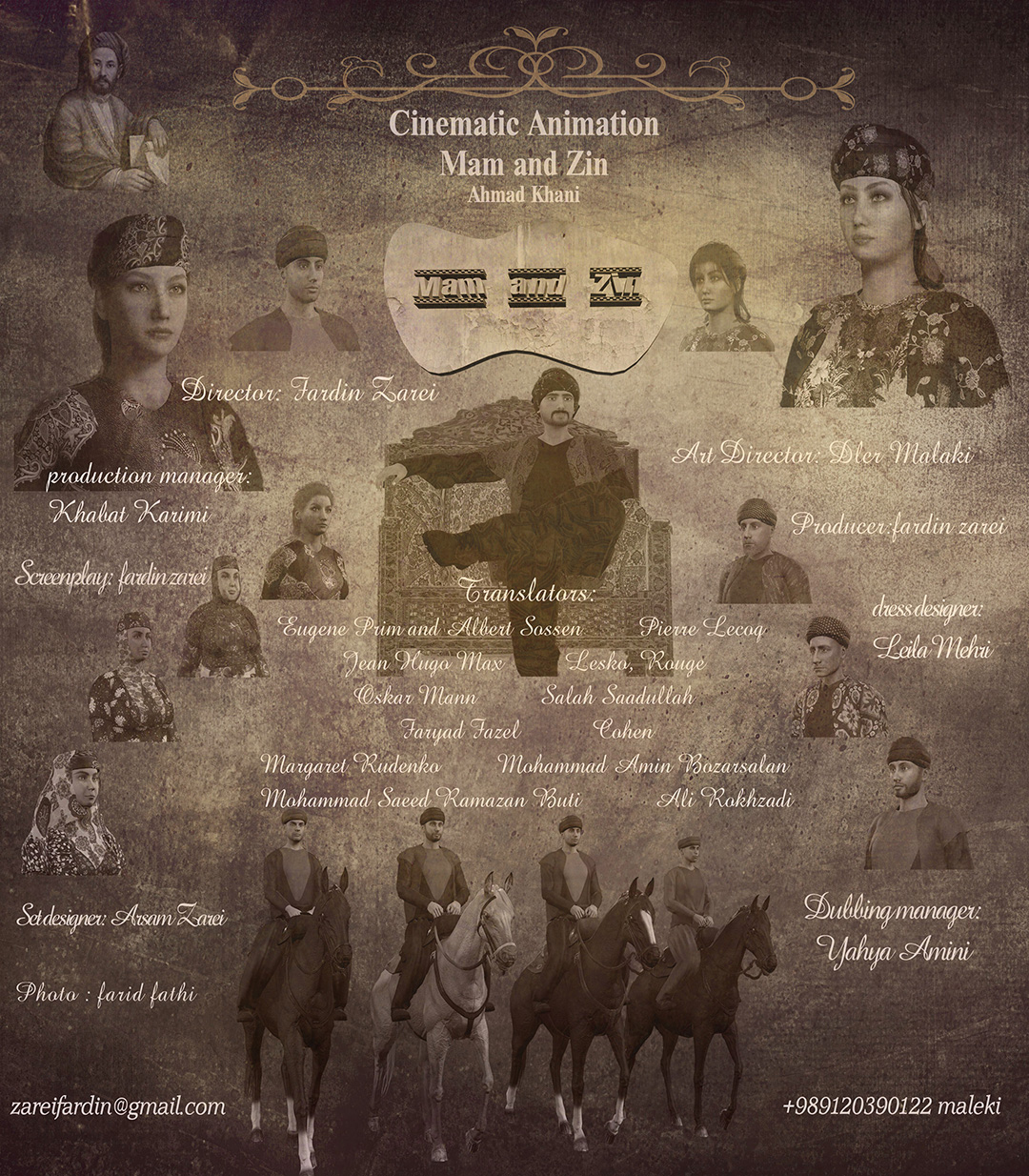

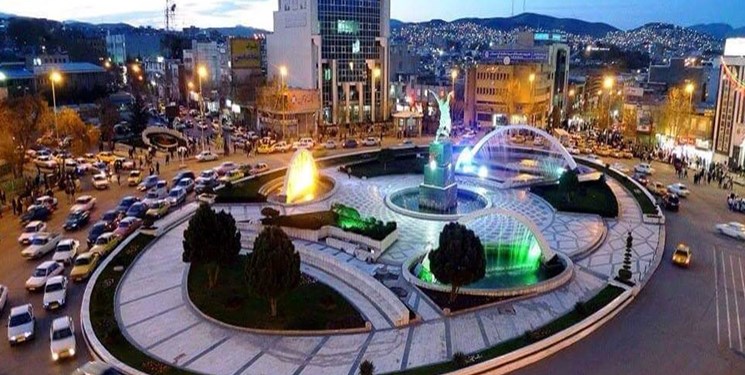
Sanandaj city Sanandaj city, the capital of Kurdistan province, is located 512 kilometers west of Tehran city and is geographically located in the center of the province, which is adjacent to other cities except Baneh. Sanandaj city is the most populous city of the province based on the scale of 2014 with a population equal to 419,750. In terms of natural and climatic conditions, Sanandaj is a mountainous city with a cold mountain climate that has mild summers and relatively cold winters. The height of this city is 1480 meters above sea level and the average rainfall is more than 500 million meters per year. Is. Khas topography is one of the beautiful cities of Iran, which is surrounded by beautiful and high mountains and inside the city is made up of many hills in the form of a spiral hill, and on top of each hill there is a beautiful view of the city of this city, and these hills are like Tosno, the Russian hill. . They are historically and religiously important and also the beautiful mountain of Abider, Koheresh (black stone) on both sides of the city, has given more beauty to this city, which is flowing on the eastern edge of the city, which is beautiful for most of the city. It has been added that the people of the Kurdish areas of Sanandaj city are called "Sane" and in fact Sanandaj is the combination of the compound word "Sanedej" in the Avestan dictionary, "Sanedej" means falcon and eagle, and there are other definitions about Sane. 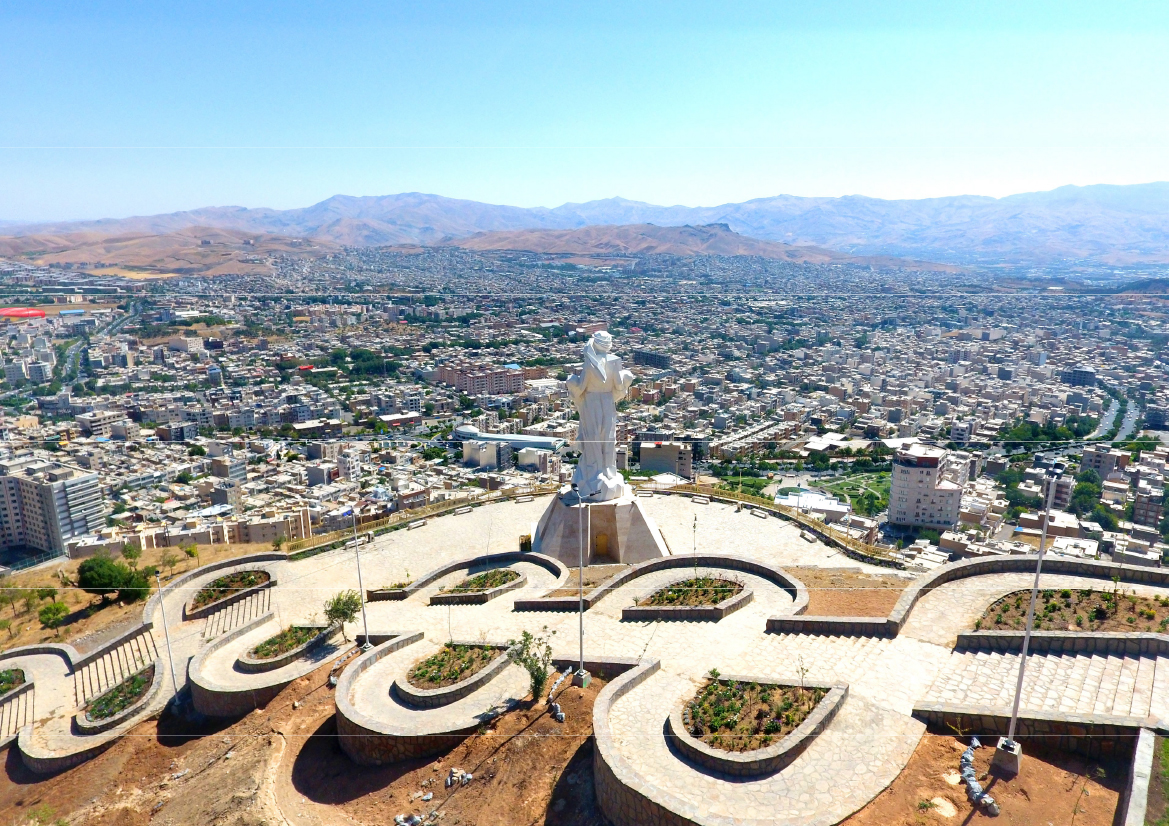
historical record
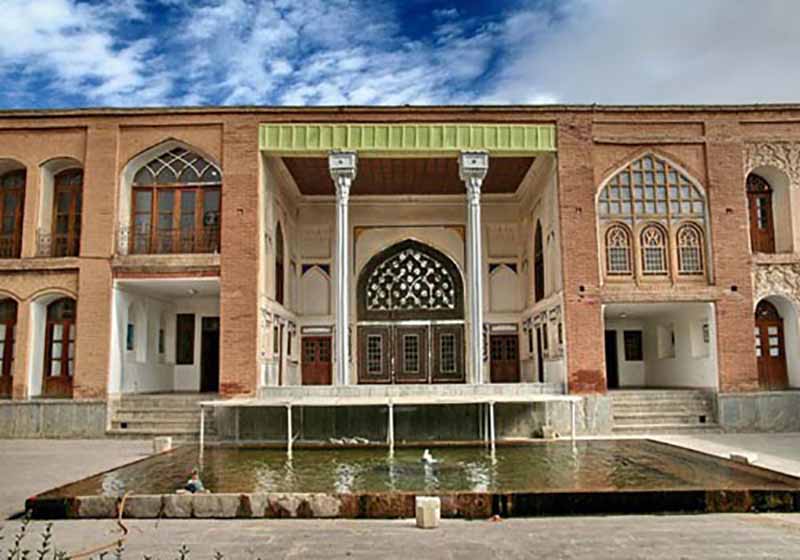
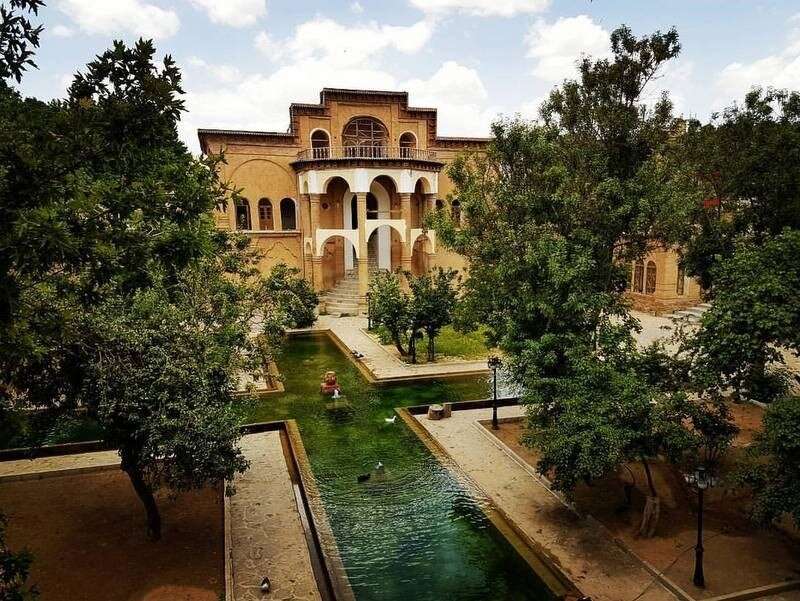
What is interesting about Sanandaj Mahrez is that since 1046 AH, that is, during the Safavid period and during the time of Shah Safi Suleiman Khan Ardalan, he moved the center of government from the fortresses of Hassanabad and Palangan in the south of Sanandaj to the city of Sane. And before that, Sanandaj continued to exist as a small village, and probably the old city of "Sane" was destroyed by an earthquake or Mongol invasion, because the ancient Tusnozar hill next to the Qeshlaq river and Hassan Abad castle and other evidences such as ancient graves More than a thousand years found in Sanandaj is a proof of the city's antiquity. After moving the center of government to Sanandaj, Suleiman Khan Ardalan built a strong government fortress on top of a hill and built buildings, baths, a mosque and a market outside and around the fortress. , it has a valuable traditional urban context in which many residential and public buildings such as baths, mosques, bazaar, and takiye remain. 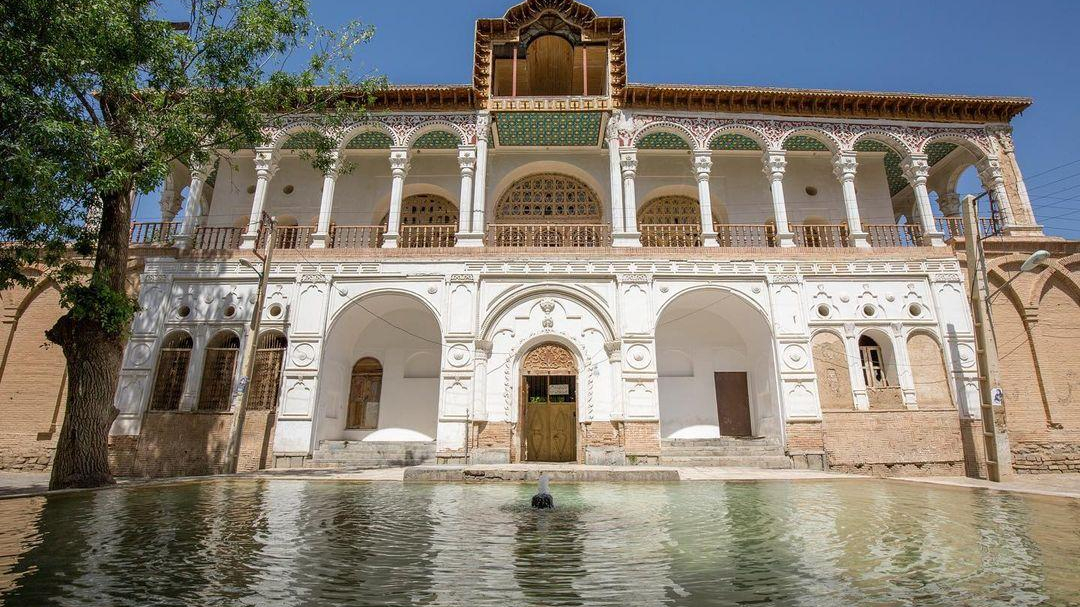
Cultural position
The city of Sanandaj has a special place among the Kurdish regions in terms of culture, art and religion. The number of top artists in various cultural and artistic fields such as music, theater and visual arts, the great place of Sufism and mysticism in the takayas and monasteries of the city, and the publication of Kurdish publications, make Sanandaj a city. It is said that Sanandaj city with 141 mosques has the largest number of mosques in relation to the population among Islamic countries.
In terms of higher education, several university units such as Kurdistan University, Medical Sciences, Azad University, Payam Noor, Teacher Training Center and Technical College with a population of about 20,000 students are continuing their studies in various fields. 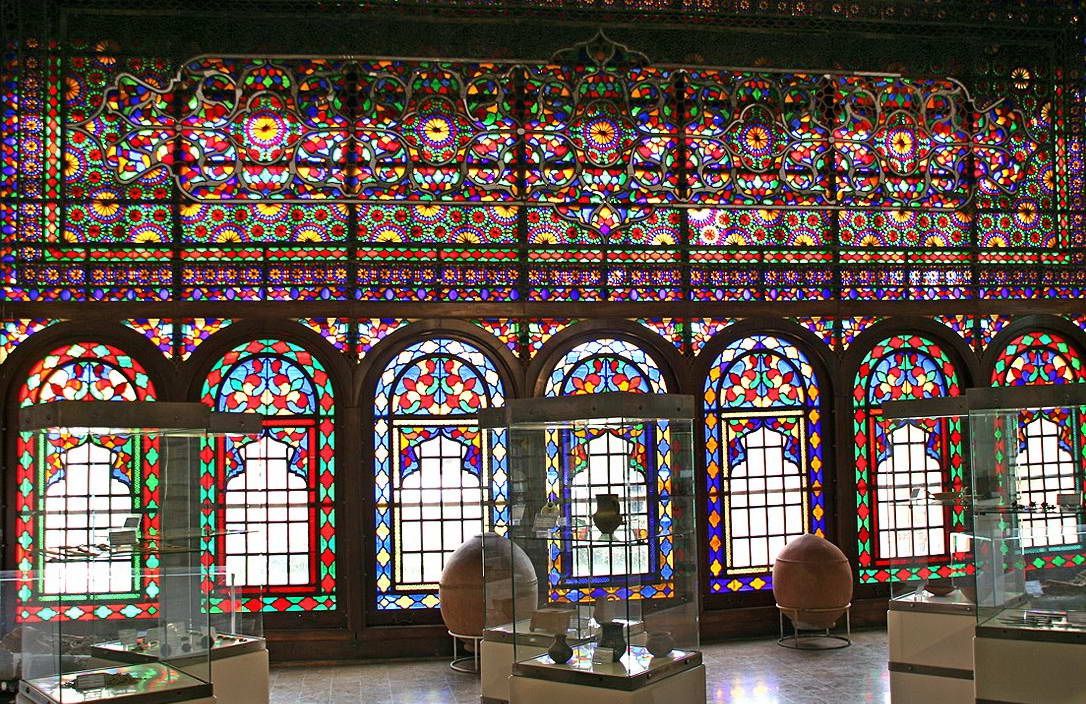
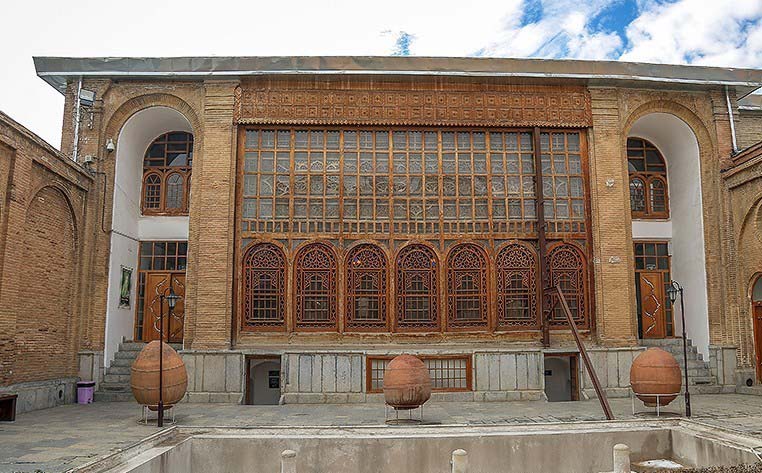
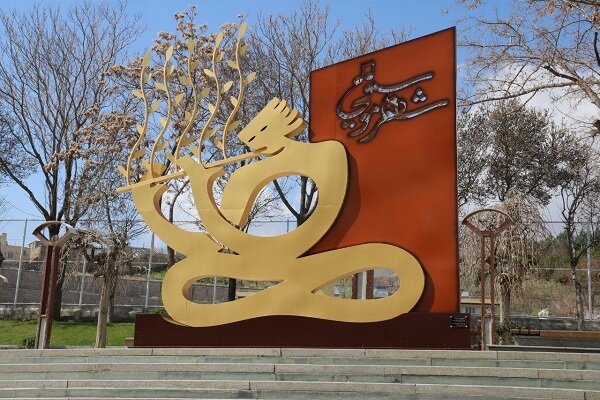
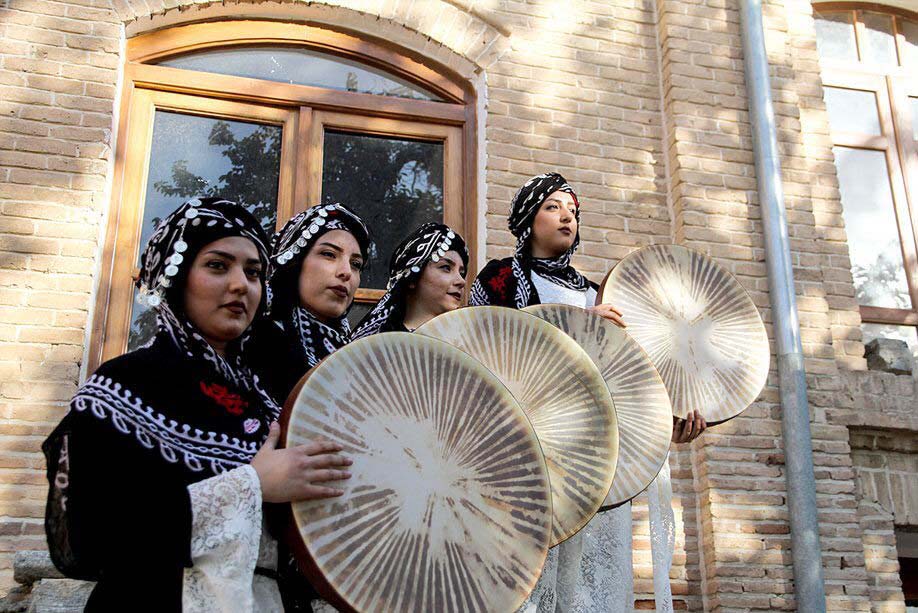
Sanandaj, the creative city of music "The city of Sanandaj was registered as a creative city of music in UNESCO." This was the news that appeared on the news pages in November 2018, and besides Bandar Abbas, the number of network member cities in the Islamic Republic of Iran reached four cities. Isfahan and Rasht entered this network in 2015 as creative cities of craft and folk art and food variety (Gastronomy). In 2021, this figure reached five cities and Kermanshah entered the network as a food city. The UNESCO Creative Cities Network (UCCN) is one of the programs of this organization as a cultural-educational organ of the United Nations, which is designed in the cultural field to help sustainable development through the creation of a network and links between member cities. This network was designed and implemented in 2004 based on the views of theorists such as Richard Florida[1] and Charles Landry[2]. Currently, there are 246 creative cities in the world that are connected and active in various fields in this network. (2019) These seven areas are: music, food variety, film, media, design, handicrafts and folk arts and literature. However, the registration of the city of Sanandaj was done by the collective efforts of cultural activists, artists, academics and educational and research institutions of the city of Sanandaj and with the support of Sanandaj Municipality, Kurdistan Governorate, Management and Planning Organization of Kurdistan Province, Sanandaj Music Association and other relevant government agencies. At first, its research phase was carried out by an expert team, and then with the publication of a new call by the UNESCO Secretariat in April 2019, equivalent to April 2019, the implementation phase of Sanandaj city registration became operational. For this, the efforts of the public, private, civil and public sectors and the cooperation of all these sectors were needed. Also, the Ministry of Interior and the UNESCO-Iran National Commission did not hesitate to provide any support in this regard. At first, according to the UNESCO guidelines, executive and scientific teams were formed and the application form for joining the network was completed in the form of these teams. In addition, the support of the University of Kurdistan and the Supreme Council of Music as two scientific institutions that officially confirmed the merit of Sanandaj city and its assets to join the network was among the documents that were sent to the UNESCO Secretariat in June of the same year, along with three prominent photos. . It was on October 31 that the UNESCO Secretary General officially announced the names of 66 cities that had joined this network, and the names of Sanandaj and Bandar Abbas from Iran were seen in this list. The news spread quickly and received a lot of coverage in domestic news agencies. During this period, due to the restrictions caused by the spread of the covid-19 pandemic, the activities were limited to certain areas, which we briefly mention here. [1]) Richard Florida, a theorist in the field of urban studies, published his first book titled "The Rise of the Creative Class" in 2002, and then wrote a book titled "Cities and the Creative Class" in 2004, which was a supplement to the previous book. . 2) Jarls Landry, author, speaker and international consultant on the future of cities, promoted this idea by publishing the book "Creative City" in 1994. 
[ دوشنبه شانزدهم بهمن ۱۴۰۲ ] [ 22:25 ] [ ]
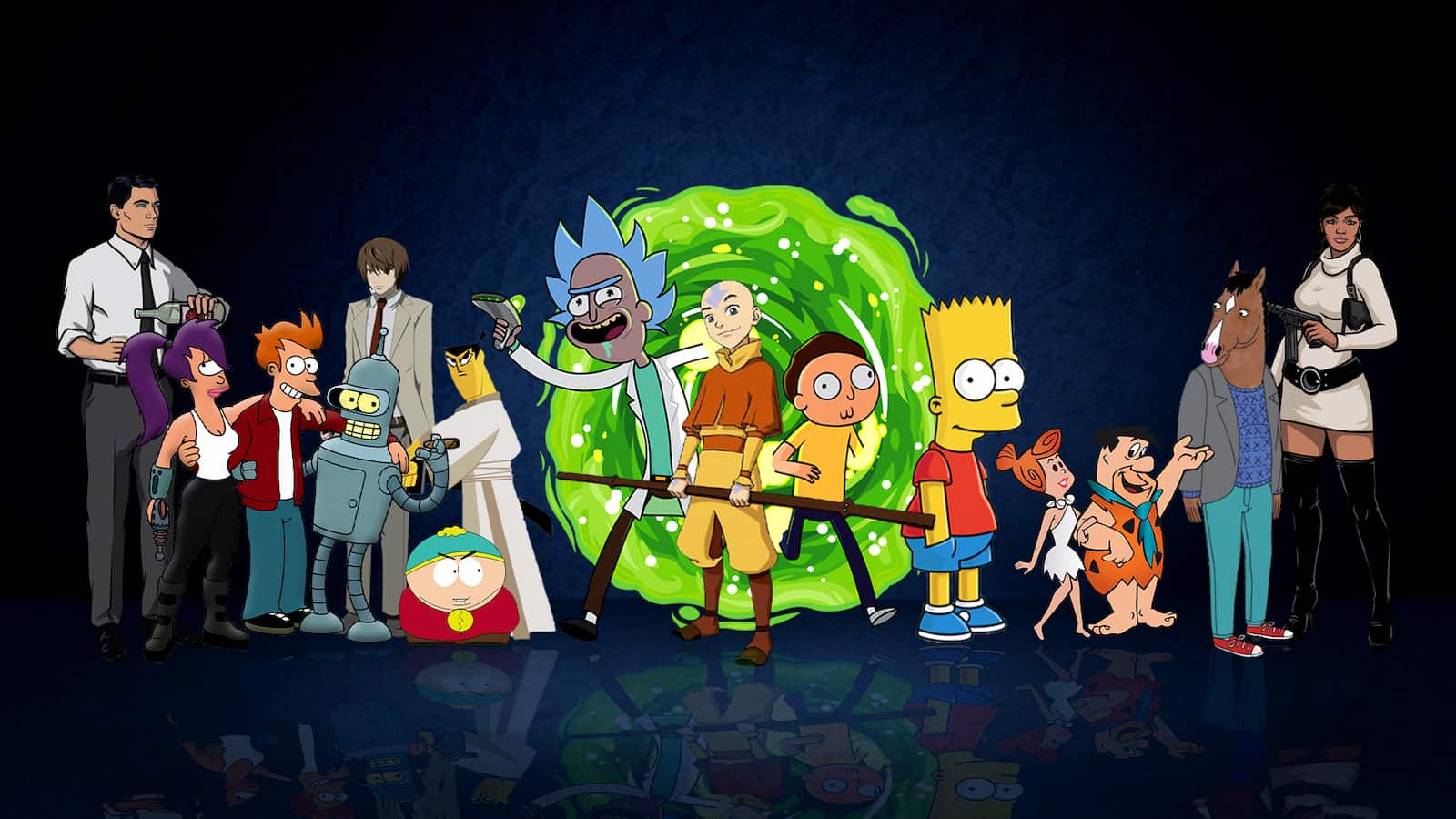
Traditional 2D animation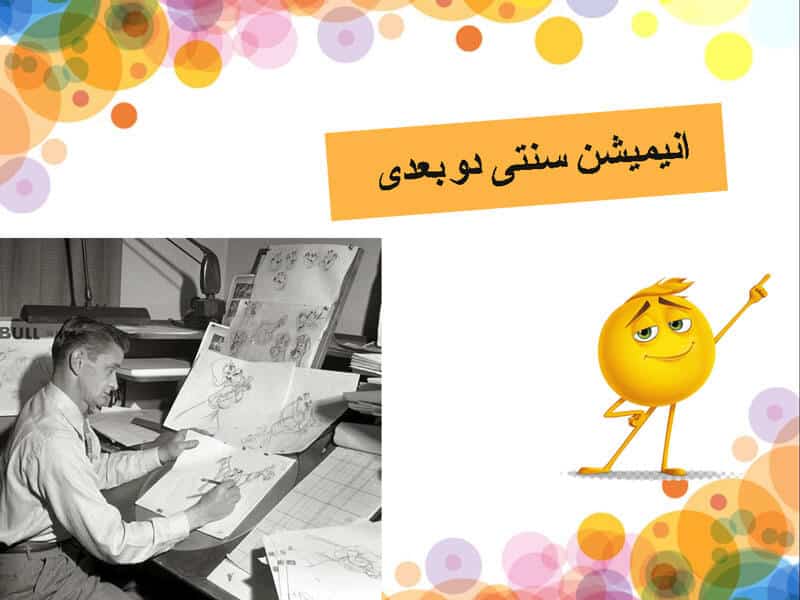
Traditional two-dimensional animation Traditional animation was the drawings that were drawn by the artist on paper. If you love drawing on paper, the traditional approach is very attractive. Traditional animation is creating one-by-one drawings on the frame. Two-dimensional animation consists of creating multiple maps and then feeding in plastic cells, hand painting them and creating a moving sequence on the painted background image. From this model of animations, you can refer to Snow White and the Seven Dwarfs cartoons, Peter Pan and Sleeping Beauty, Aladdin and... Cited. The famous Mickey Mouse animation was created using the 2D animation technique. The first 2D animation was called Fantasmagorie, a cartoon short film created by Emile Cohl. Filmed entirely in black and white, the cartoon is all about a simple stickman in live action. This cartoon is 75 seconds long and was drawn to make about 700 different drawings. This historical animation was published in 1908. Among the popular two-dimensional animations, we can mention the animations of the 1960s, including popular cartoons such as The Jetsons and The Flintstones. One of the most popular two-dimensional animations is Cinderella, which has been broadcast many times on Iranian TV. This animation, which was made in 1950 by the Walt Disney Company, was included in the list of the top ten animations in the world. This attractive 72-minute animation cost 2.9 million dollars, which was able to set a great record for itself with the extraordinary sale of more than 263 million dollars. This animation was directed by Clyde Geronimi, Hamilton Lusk and Wilfred Jackson and it was produced by Walt Disney. This animation had 8 authors whose names are: Ken Anderson
Pierce Press
Homer Brightman
Winston Hibler Bill Pitt
Erdman Paner
Harry Rios
Joe Rinaldi
Ted Sears
And he had professional voice actors whose names are:
Line Woods
Eleanor Audley
Verna Felton
Rhoda Williams
James McDonald
Louis Van Rotten
Don Berkley
Mike Douglas Lucio Bliss
Another positive point of this attractive and beautiful two-dimensional animation was its wonderful music composed by Paul J. Smith, Oliver Waltz made. The editor of this animation is Donald Halliday. This animation was first released in the United States on March 4, 1950. The summary of this animation is that Cinderella lives an unhappy life, she lost her parents at a young age and is forced to work as a maid in the house of her swindlers. Her stepmother, Lady Tremaine, is cruel to her and jealous of Cinderella's charm and beauty. Read articles related to animation from this section. In addition, his two daughters, Drizella and Anastasia, use him mercilessly. Despite this, Cinderella is a kind and gentle young girl. He is friends with mice and with the birds that live in and around Chaturi houses. Meanwhile, at the royal palace, the king is disappointed that his son, the prince, is still unmarried. In an attempt to find a suitable wife for the prince, he and the Grand Duke arrange the ball, requesting that every eligible maiden attend. Upon receiving the ball, Lady Trima agrees to release Cinderella if she is done and can find a suitable dress to wear. Cinderella finds the gown that belongs to her mother and decides to mend it for the ball, but her stepmother's family prevents her from doing so. Cinderella's animal friends, including Jack and Goss, fix it up for her, completing the design with a necklace, and the missing Circle and Anastasia, respectively. When Cinderella comes downstairs to dress, the stepsisters are upset when they realize that Cinderella is wearing her clothes and shreds the dress before leaving with their mother. Heartbroken, Cinderella tears into the stormy garden, where her fairy godmother appears before her. Insisting that Cinderella will go to the ball, the superstitious fairy magically turns the pumpkin into a carriage, the mice into horses, Cinderella's horse, Major, into a coach, and the dog, Bruno, into a soccer player. slow, before turning Cinderella's ruined dress into a dress. He shakes the silver vase and his shoes into the glass slipper. As Cinderella leaves the ball, the Fairy Godfather warns her that the spell will be broken at midnight. Two-dimensional digital animations 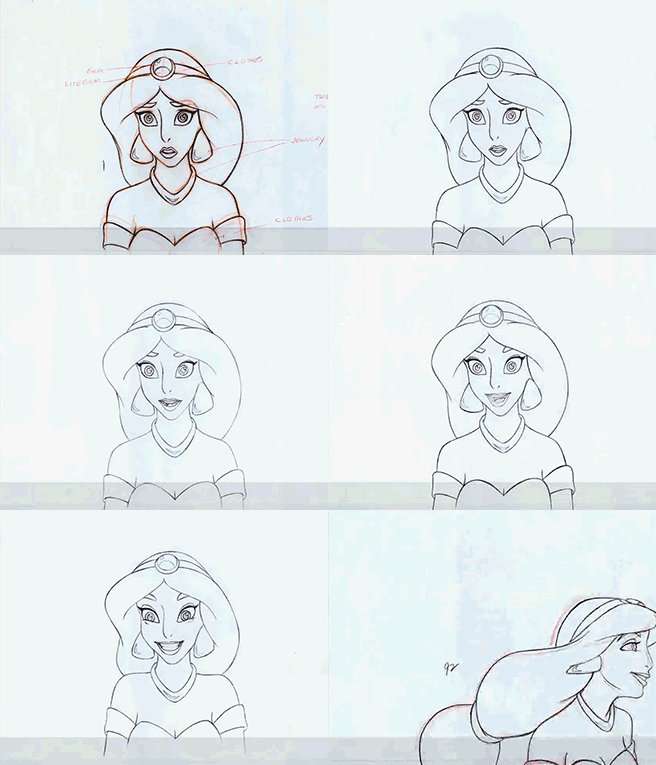
Two-dimensional digital animations are another type of animations. Creating animation in two-dimensional space with the help of digital technologies is known as two-dimensional digital animation. You don't need to create digital models, you just need to draw the frames. Design and animate (order to animate) them to create a type of motion technically known as 2D digital animation. Using software such as Flash, Adobe, etc., animators can limit the number of drawings used, which makes them able to create 2D digital animation. Small changes like changing color or frame rate can be changed almost instantly, thus making the animators' job easier. 3D digital animation 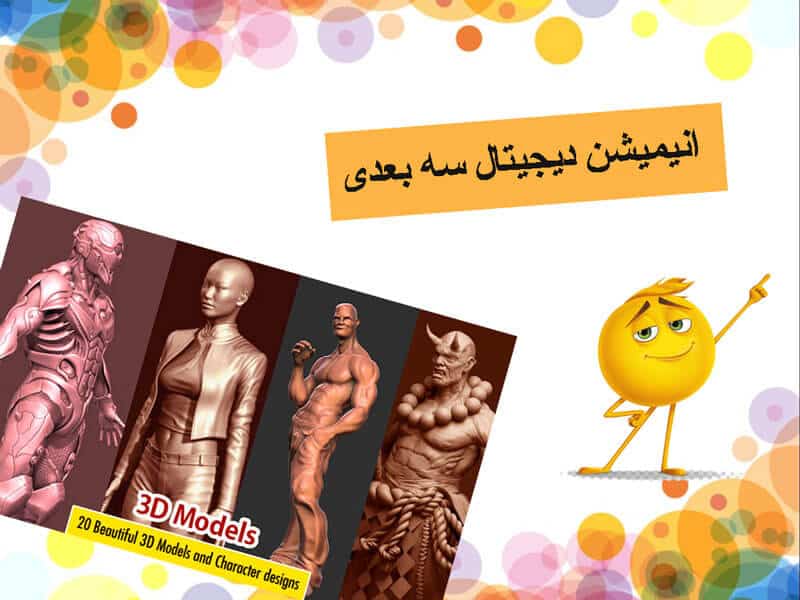
3D digital animation If you are interested in turning unrealistic characters into a realistic one, the best animation model is 3D animation. Digital 3D animation characters are much faster to create and are quite popular in the filmmaking industry. Using computer software, 3D animated images are used to create many short films, feature films, series, educational films, documentaries, music videos and promotional teasers, compared to 2D animation. Digital and traditional, 3D animation models are very realistic. One of the best and first 3D animations that was made is the Toy Story animation, which was made by the good director of this field, John Lester. The producers of this fascinating 3D animation are Bonnie Arnold, Ralph Guggenheim and the author of this work is the director John Lester. The voice actors of this work are famous Hollywood actors Tom Hanks
Tim Allen
don't relax
Jim Varney
Wallace Shawn
and... are The music was composed by Randy Newman and the painstaking editing was done by Robert Gordon and Lee Unkrich. This animation was made by Pixar and it was able to sell 373 million dollars with a cost of 30 million dollars for its production, which is unique in its kind. The film was first released on the silver screens in the United States on November 22, 1995. So far, 4 versions of this 3D animation have been made. And its version has been in the list of top 10 animations in the world. In the summary of the first part of this animation, it is stated that Andy is a 6-year-old boy who loves his toys very much, among all his toys, he loves Luke the cowboy the most and even wrote his name on the sole of his shoe, but With the arrival of the space toy baselighter, everything changes for Luke the cowboy and… What kind of animation are stop motion animations called? 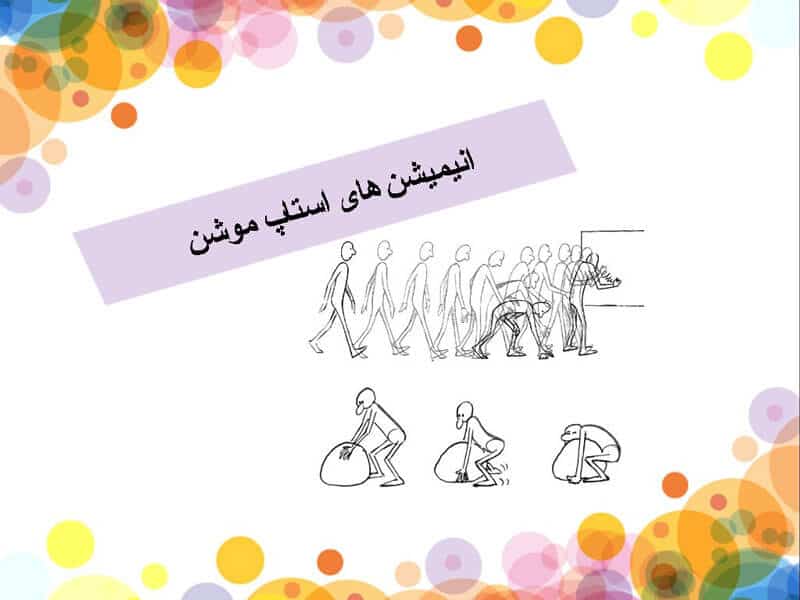
3D digital animation If you are interested in turning unrealistic characters into a realistic one, the best animation model is 3D animation. Digital 3D animation characters are much faster to create and are quite popular in the filmmaking industry. Using computer software, 3D animated images are used to create many short films, feature films, series, educational films, documentaries, music videos and promotional teasers, compared to 2D animation. Digital and traditional, 3D animation models are very realistic. One of the best and first 3D animations that was made is the Toy Story animation, which was made by the good director of this field, John Lester. The producers of this fascinating 3D animation are Bonnie Arnold, Ralph Guggenheim and the author of this work is the director John Lester. The voice actors of this work are famous Hollywood actors Tom Hanks
Tim Allen
don't relax
Jim Varney
Wallace Shawn
and... are The music was composed by Randy Newman and the painstaking editing was done by Robert Gordon and Lee Unkrich. This animation was made by Pixar and it was able to sell 373 million dollars with a cost of 30 million dollars for its production, which is unique in its kind. The film was first released on the silver screens in the United States on November 22, 1995. So far, 4 versions of this 3D animation have been made. And its version has been in the list of top 10 animations in the world. In the summary of the first part of this animation, it is stated that Andy is a 6-year-old boy who loves his toys very much, among all his toys, he loves Luke the cowboy the most and even wrote his name on the sole of his shoe, but with the arrival of the space toy lighter, everything changes for Luke the cowboy and... What kind of animation are stop motion animations called? 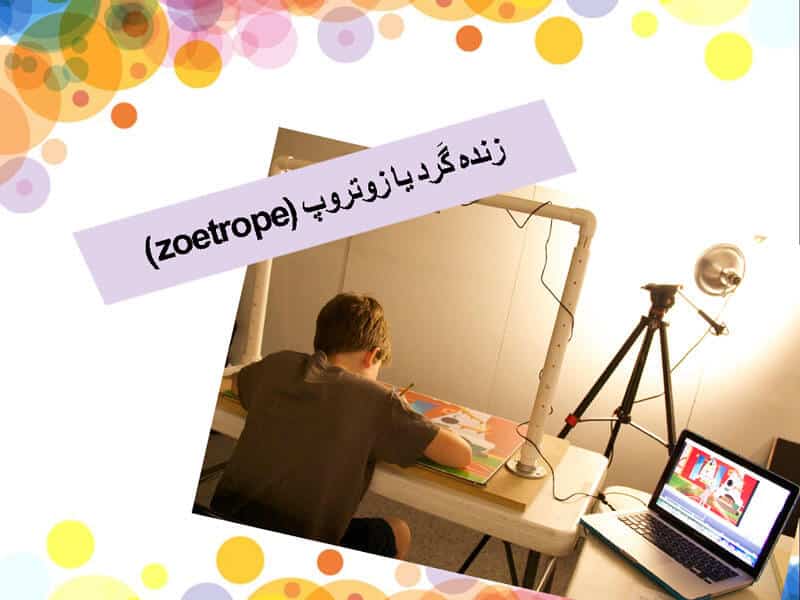
Zoetrope Cut-out animation
Cut-Out animation is probably one of the oldest forms of stop motion animation in the history of animation. The first cut animation was made by LotteReiniger in 1926 and was called "The Adventures of Prince Achmed". Accurate paper drawings were used to convey a beautiful story. In this method, paper cuts move under the camera lens to tell a story. Since the evolution of the computer, it has been much easier to introduce computer cut images into the queue. Sand animation
Be sure to remember to wash your hands well after drawing this animation model.
This method is messy because you will have to get your hands dirty with sand. A clear glass table is used as a canvas and the animator creates animation by moving the sand in certain directions. Yes, you guessed right, animators have to constantly clear their creativity to create another scene. The entire process is filmed and then merged during production to show the animation of the sand. Even if the animation takes hours to complete, the final creation will truly blow your mind. In Iran, this animation has been welcomed by the people after the new evening program. Since Fatemeh Ebadi, the ascetic artist of our country, was able to win the votes of the majority of the viewers of this program with her attractive sand paintings and win the title of the first person of this program. typography
In typography it's all about letters and animation is anything that moves. In animation, typography is widely used in the title section of a movie. If you love faces and fonts, you should check out Bart Forrest's stop-motion typographic animation called "Atlantic Ocean." Using software like Fontlab, it's easy to create new types of fonts. painting on glass
This technique uses slow-drying paintings on a glass canvas, allowing the animator to manipulate the art and photograph them at the same time. Sometimes turpentine is used in the drawings, which makes the work of the animator easier to work on the drawings. It's a painstaking task where you have to paint on glass, take pictures and then create another scene which is then blended in post-production, you have to render an animated version of this painting. Animation drawn on film
Drawn-on-film animation dates back to 1916, but most animations from that period are lost. This technique involves scratching, either directly on a roll of exposed film or in a dark room, creating shadows that are permanently embedded in the film by creating changes in light. Sometimes animators can just stick a reel of black film on a workbench and poke holes in them, or stick to almost anything on the reel. This animation was one of the earliest forms of animation technique and probably one of the cheapest as you only need a roll of film, etching tools and a projector. Experimental animation
Experimental animation is the art of combining two or more drawings or illogical art to create an animated scene. Various types of animated drawings are introduced at odd points that are not completely unrelated to each other. Therefore, randomly introduced drawings create a different frame in the animation process. Some animators have used a magnifying glass to create an animation and several frames have been recorded. Erasable animation
Erasure animation uses 2D animation for motion graphics. Many popular films such as Clear Coal have been made using this technique and one of the famous animators in this field is William Kentrix. Photography and animation to create a smooth movement in the animation film should be done in every change. 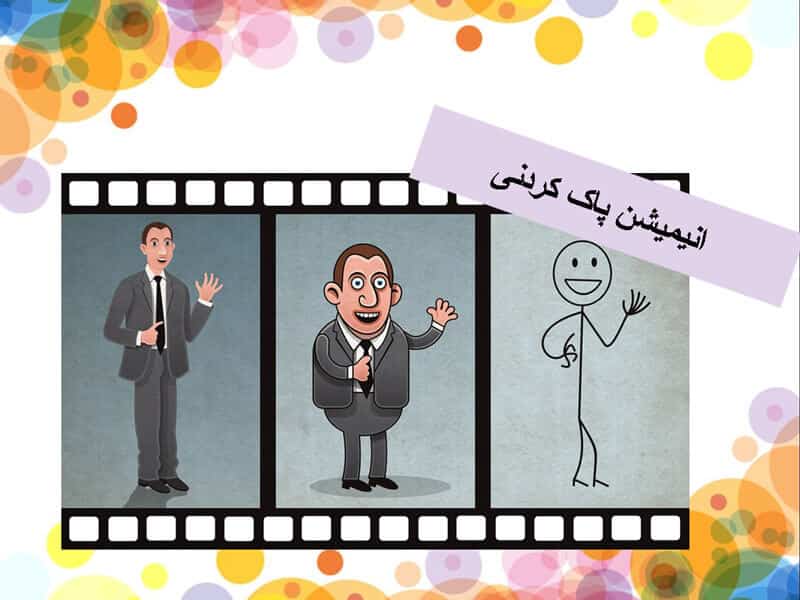
Erasable animation What is pin screen animation?
A page tricked by thousands of silent pins is used to create a pin page animation. Alexander Alekseev and Claire Parker invented the pin screen animation method in the 1930s. The duo used a pin board to create Night on Bald Mountain. When the pins are scratched, the plate is illuminated from one side, which casts shadows, deepening the shadow based on the depth of the pin. Night was the first animated film to use a pinboard, a 3 x 4 foot rectangle containing about 240,000 pins that move laterally to create different shadows. Notebook animation
Before the invention of the computer, notebook animation was fashionable. Artists would create these notebook animations by carrying a small book and drawing a series of pictures, with a slight change in the pictures. That's why when this book flips quickly, you can see the series of images with fluid movement, the animators are trying to show an attractive scene. Flipbook animation is one of the oldest but attractive animations. In our beloved country of Iran, in the past, this model of animation was very popular among children and even adults, and even art has its own fans.
[ دوشنبه شانزدهم بهمن ۱۴۰۲ ] [ 22:20 ] [ ]
Sketchup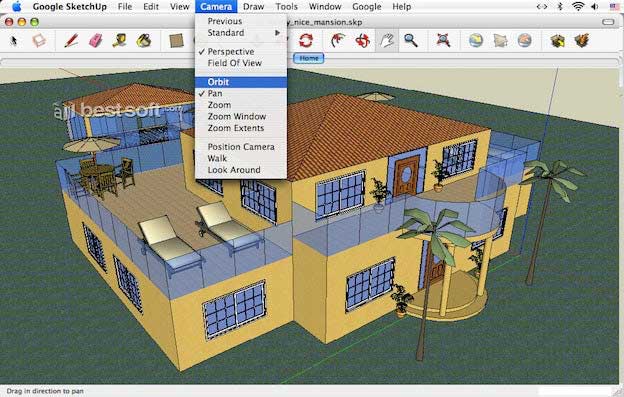
If you are not familiar with any 3D program or don't have much time to learn, the best option for you is SketchUp. In fact, it is a program that the user likes, and it is free to download, and Sketchup is great for beginners in designing and modeling. You can create realistic materialization, lighting, and visuals. 2- Blender program 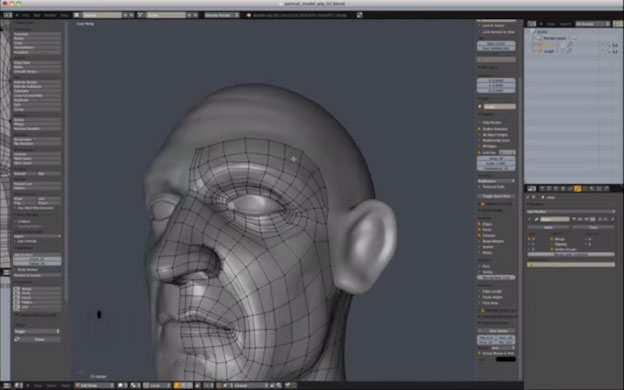
For those who are more skilled, the software includes sculpting and animation, as well as actual photo processing and video editing. The software also allows you to create a fully 3D game, edit videos, and create realistic simulations (such as fluids, skin, and hair). In fact, if your work is not architecture, decoration, mechanics and civil engineering, and you plan to do more complex work such as making animations or more complex modeling, this option is perfect for you. 3- AutoCAD program 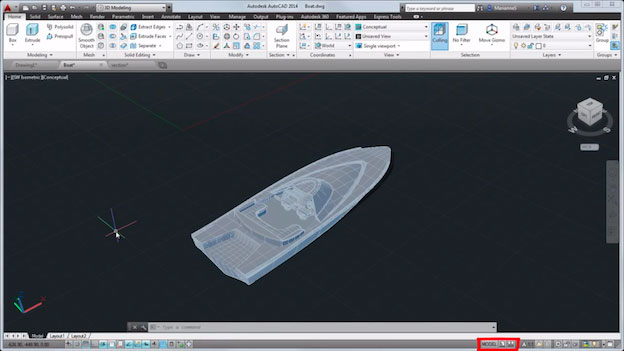
AutoCAD is one of the most widely used 3D design applications on this list (aka the parent program). Used by engineers as well as graphic and industrial and environmental designers, this program has online videos that can introduce you to how to start the program and the main principles of this program. 4-Rhino program 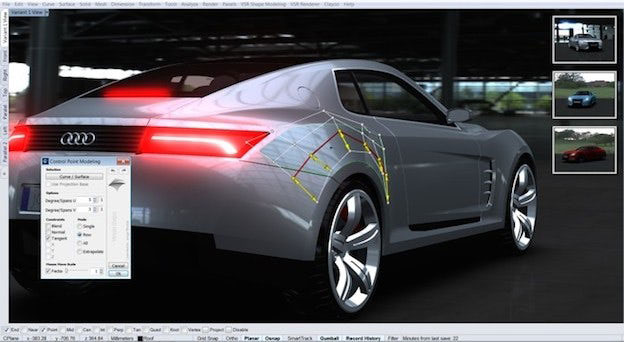
This program is a 3D design software based on curved lines that creates mathematically accurate models of 3D surfaces. This program is used in architectural, industrial, production, multimedia, and graphic design. 5- Revit software 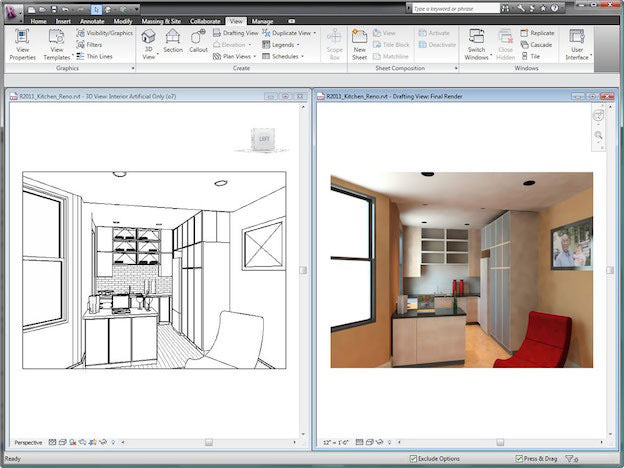
It is widely used in architectural design and structural engineering, especially in structural information modeling. This program takes you from abstract pre-designs to proper analysis with capabilities and synthesis and workshop. 3dmax_6 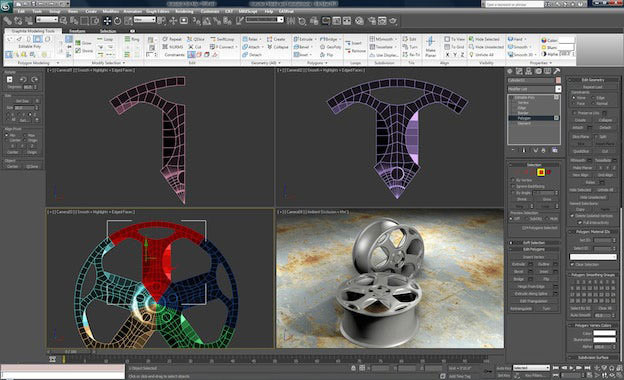
3Ds MAX is an animation design and simulation and 3D rendering software used in industrial design, film, games, and motion graphics. The advantage of this software over other software is that it is established in the market and most design offices need people who are proficient in this software. In addition, there are many ready-made models and tutorials for it in the market, and we recommend you all to learn it. Designers can bring their designs to life with believable textures and human movements and simulated component hair. Moho software has recently become the most practical and best software for modeling and creating architectural animations or any type of animation, and many new animations are made with this software, and it can be said that it is the most special, lightest and most future software in this There is a context. The following training pack is the best pack for quick and complete learning of Moho, if you want, get it: 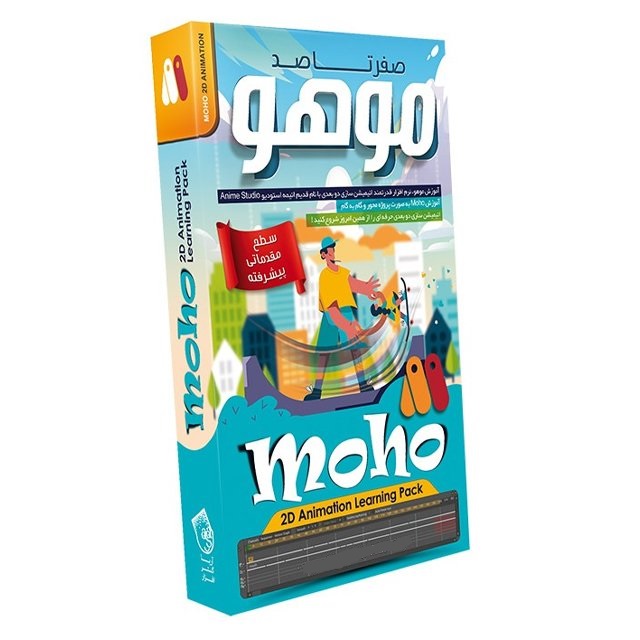
[ دوشنبه شانزدهم بهمن ۱۴۰۲ ] [ 22:18 ] [ ]
The steps of making animation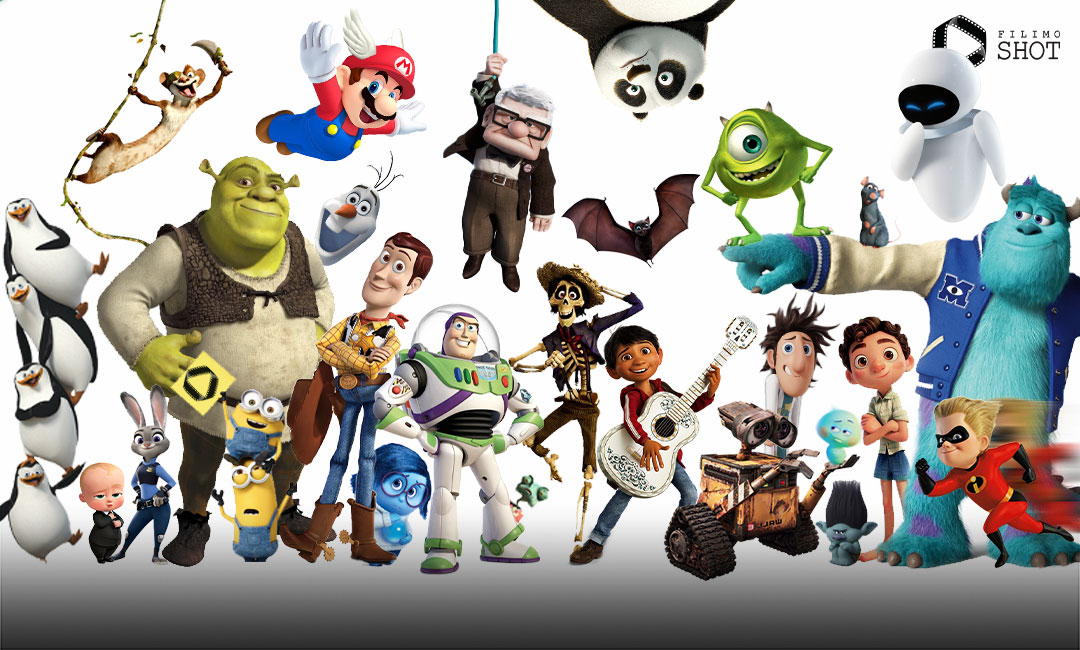
The steps of making animation
What is animation?
Animation is a method in which images and frames are moved successively, which are produced by computers and special software in two-dimensional and three-dimensional, short and long. In the past, to create animation, images were drawn by hand on paper or puppets were made and photographed frame by frame with a change of direction, and displayed sequentially with the software, showing the movement. He said that this method is called stop motion. History of animation
The history of animation goes back to cave paintings of the Paleolithic era, BC and stone carvings that depict animals in motion. The first animation was made by the French Emile Kohl originally called Incident in the House of Dummies and Walt Disney's animations in 1923 started the exciting and beautiful world of animation, and in 1966, after 43 years of activity, Walt Disney was able to provide a special prestige and value to animation in the world and became the founder of animation. And also in Iran, the founder of animation in 1333 was Mr. Esfandiar Ahmadieh, and Bahram Azimi was the founder of the new way of teaching animation in Iran. Animation steps
Making animation has three general stages: pre-production, production, post-production, each of which is divided into more detailed stages. Pre-Production:
In this step, all the steps needed to produce the original animation are executed. Ideas:
At this stage you get the idea of your work. The idea is part of the main stages of animation. screenplay :
At this stage, you have to write a story and script for your idea. dialogue :
If your animation is not a silent animation, you should consider dialogues for the characters. Story board or story rail: 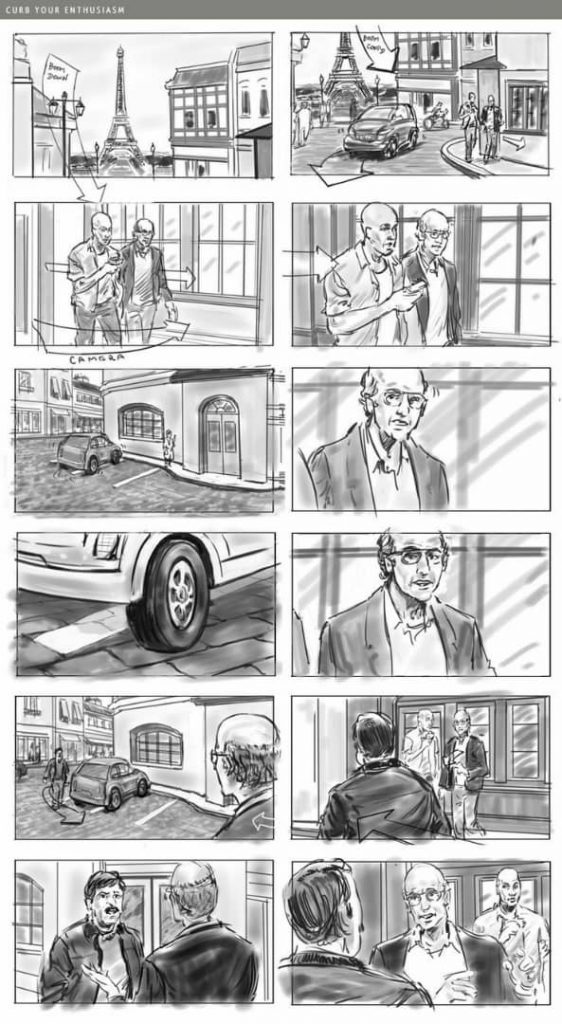
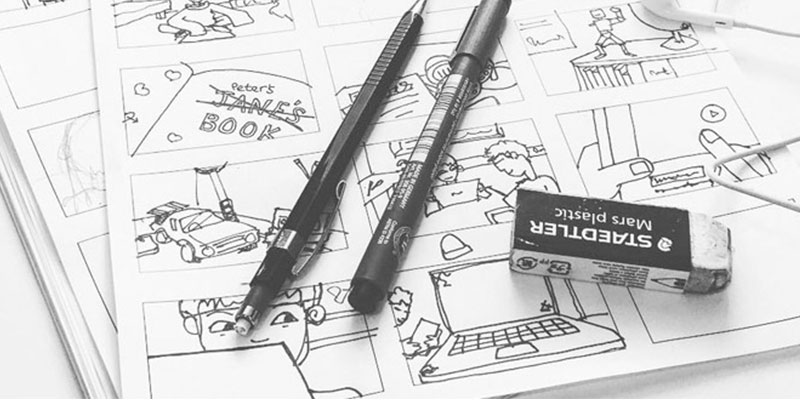
At this stage, you should present the camera angles, sound, lighting, direction of movement of the models, etc. in simple language and a general picture of the animation part by part on paper or the software's clipboard. And it has two modes: A- Story board:
In this case, you have the animation in mind, then you draw pictures on paper or computer every few seconds of the animation. B-Story Rail:
In this case, you have the animation in mind, but you draw a few frames of the animation on paper so that by joining them together, you have a simple animation (this is much more difficult and longer than the storyboard, and we recommend that in Start the storyboard first) Information:
At this stage, you check the software, techniques, costs, etc. to make the animation. For example, what software do you need for this work and what costs should you pay and what scenes are made with what techniques and... Production:
At this stage, the animation is made according to the pre-production stage. modeling :
At this stage, all objects and creatures that are made are monochromatic and do not have any texture that can be compared to objects such as: hair, metal, skin, leather, etc. Texturing and material:
In this step you have to give the models you made a texture that has two components
a- Texture or the same image:
At this stage, you only put an image of the material on your model, only the colors are different and the textures are the same.
B- Material or texture:
At this stage, you define for the software what this object is and what its characteristics are because each object has its own amount of reflection, transparency, light refraction, shine, state and texture. Rigging or boning: 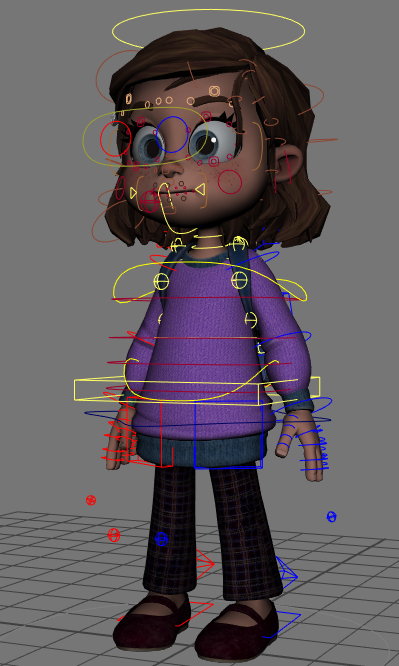

Your model has texture, but if this model is a human, how should it move? In this step, you must specify the bones of the model. Animating:
At this stage, you have to animate your animation with the help of bones. lighting:
At this stage you have to do the lighting of the scene. Camera:
At this stage, you should arrange the cameras of your scene and simulate the camera angles according to the storyboard or storyrail. Simulating or simulating:
If your animation contains fire, smoke, dust, liquids, explosions, destruction, fabrics, hair, etc., in general, things that are irregular and cannot be created, such as liquids, fire, and fabric, you must simulate them at this stage. At this stage, we need powerful systems for better simulations. Rendering:
At this stage, all the steps have been completed, but the animation file must be converted into pixels that can be displayed on all screens, this output is called rendering. Post production:
In this step, you edit the captured rendering to make the animation more beautiful. composite:
At this stage, we put the rendered animation layers on top of each other and use different effects to make each layer more beautiful and achieve the desired quality by combining the layers. Special effects:
In this step, we add two-dimensional or three-dimensional special effects to the animation. Editing: 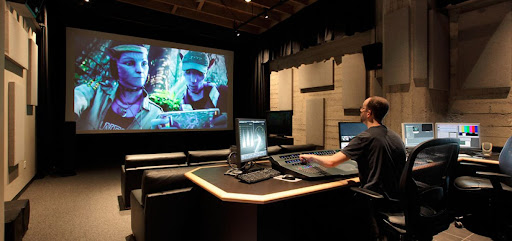
In this step, we connect and edit all the sequences to create a continuous animation. Voicing:
If the animation is not silent and without words. A group of animators add sound editing, voice acting and sound effects to the animation. If sound recording is needed at this stage of animation production, this group should also be familiar with sound recording technical tools. Music and sound effects:
At this stage, music suitable for the animation genre is added to the animation, and background sounds such as the sounds of objects and animals are combined with the animation. Final rendering:
At the end, the animation is rendered final so that the file is ready to be played on any screen in the form of a movie. An animation group consisting of
Art Director / Animator / Art Director / Screenwriter / Character Designer / Fabric Simulation Artist / Composer / Creative Director / Effect Designer / Environment Designer / Layout Technical Director / Modeling Supervisor / Producer / Production Assistant / Shading and Texture Supervisor and... Software needed to make animations
By studying in the field of animation or animation training courses, the desired software is taught.
Moho (Anime Studio) Pro / blender / lumion / 3dmax / sinema4d / Stop Motion Studio
And…flipbook / CelAction2D / Pencil 2D / Toon Boom Harmony How long does it take to make an animation and how much does it cost to produce it?
Making a professional 90-minute animation with a group of 200 to 1000 people takes at least 2 to 5 years and its production cost is at least 3 billion. Why is the cost of animation production high? 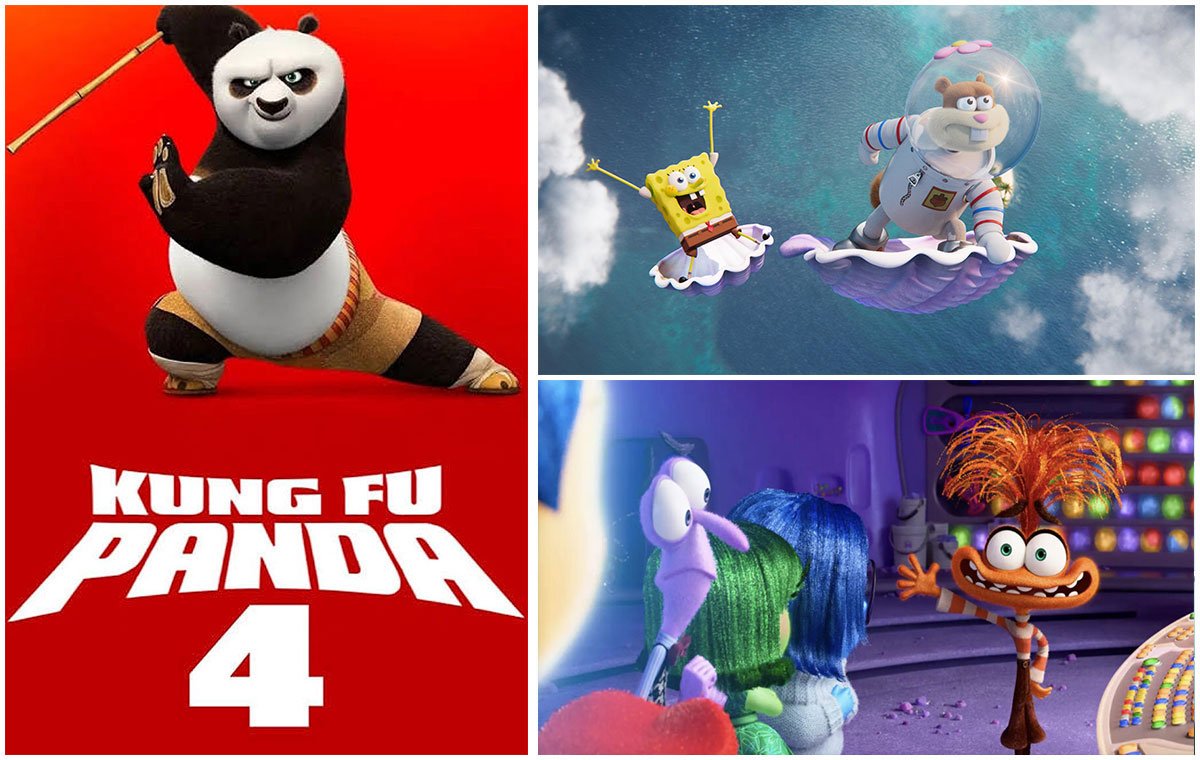
1- Story, direction, sound and... In making animation, a very strong team including story writers, playwrights, art directors, people who do the work of sound effects and many others are present. Producing a story that can engage the viewer is a very delicate and painstaking task. Maybe in a live-action movie, the actors can cover the weakness of the script and bring the viewer along, but in animation, if you don't have a good story, you can't attract the viewer and your project will probably fail. In animation, everything depends on the catchiness of the story and the attractiveness of the characters. 2- Creating works of art Each frame of animation consists of millions of separate parts. For example, the character "Sally" in Monsters Company had 2,320,413 individually named strands of hair on her body. And when he was moving, the animators had to animate every single one of his hairs to make the scene more natural and work better. Each frame in which "Sally" was present took about 11-12 hours of animation. (Each hour of video has about 100,000 frames or more) 3- Studio expenses In a studio like Pixar, about 600 people work on a film for three to four years, and they need a suitable place, powerful tools, and sufficient salary to work and create works of art. 4- Server costs Animation production requires very complex computer calculations. Each frame of an animated movie must be rendered to produce an animated movie. For the rendering of an animation such as Toy Story, a rendering farm with a capacity of 5,000 machines is needed to render all year round, and this work requires a lot of complex calculations, support power and a lot of energy. The best animations in the world
The best animations are the animations of Disneyland and Pixar, such as: Animation, Zootopia, The Lion King, Wreck-It Ralph, Shrek, Minions, Monsters, Toy Story, Kung Fu Panda, etc.
New Iranian animations, such as Prince of Rome, Phil Shah, the last story, etc., are part of good Iranian animations. The following animations can be mentioned as expensive animations:
"Toy Story 3" made $32,362 per second
"Monsters University" makes $32,051 per second
"High" production per second $30,382
"Shark 4" generates $29,569 per second
"Shark 3" generates $28,673 per second
"Kung Fu Panda 2" production $27,778 per second
[ دوشنبه شانزدهم بهمن ۱۴۰۲ ] [ 22:16 ] [ ]
Stop Motion Studio .1, a magical software
Stop Motion Studio is an amazing video making software for beginners. This app helps you produce stunning 4K stop-motion animations that can easily be combined with 2D style designs painted directly on the image. In fact, you have a powerful and affordable app for your device. Stop Motion Studio can be installed on iPhone, iPad, Android and Windows, and you can easily open the same project on different devices. Possibilities: Simple and easy to use animation software interface
Copy, paste, cut and insert frames in desired positions
It has a video editor with the ability to display frame by frame
The possibility of narrating videos and adding music using the audio files on the device's memory
Add facial expressions
Drawing and painting on the screen
Combine frames with each other and make fast movements
Ability to import or export projects to continue working on another device or time
4K Ultra HD videos
Manual or automatic control of focus, exposure, ISO, white balance
DSLR camera support
Connect a remote camera as a second device
Paint tools, sound effects, magic eraser and other useful tools 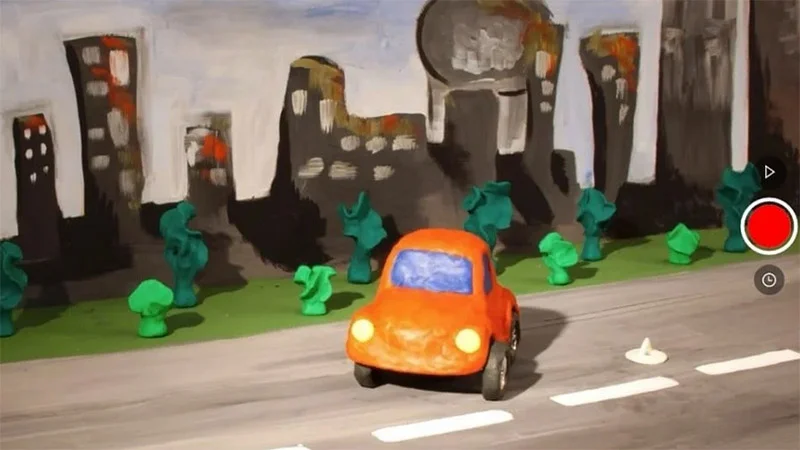
DigiCel FlipBook .2, like drinking water!
Considered one of the easiest 2D animation software on the market, DigiCel FlipBook allows you to design 2D animations. With this small and lightweight program, you can draw directly on the software or scan the drawings you have drawn on paper. This software also provides an opportunity to create stop motion animations. Possibilities: Simple and straightforward user interface
Drag designs directly into the program
Add video and image
Add cameras in different angles
Support PAN, ZOOM, ROTATE, BLUR and DISSOLVE tools
Lip-sync support
Work on one or more frames at a time
Move, zoom, rotate, fade, dissolve 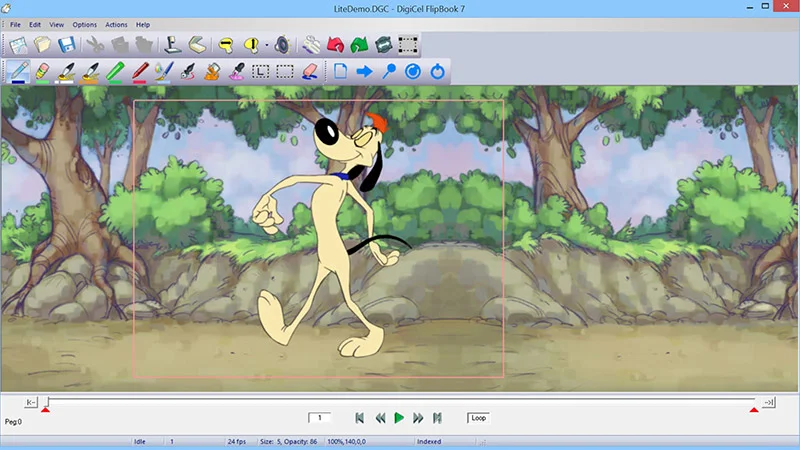
3. Animated face with Adobe Character Animator
Adobe Character Animator (Adobe Character Animator) is one of the latest software of the familiar Adobe collection. This program is a powerful tool that allows you to animate cartoon characters very easily and quickly. The well-known feature of this software is the ability to create attractive and expressive characters based on graphics. The operation of this software is very simple. In this way, you connect your microphone and camera and then enter the character that is specially prepared for animation in the character animator. Now this character is called Puppet. This app recognizes your facial expressions and voice to animate the character's face. Now, with the help of the program features, you can design the different functions and states of the doll. For example, you make the character walk, stand in a certain position, and hold things. What could be easier than this? Possibilities: Automatic lip sync and animation of facial features such as mouth, eyes, eyebrows
Real-time animation support and live broadcast
Examples of dolls and in-app designs
Walk cycles, behaviors, breathing, blinking and other animation options
Suitable for online training, game streaming, live chat and more
Advanced capabilities in 2D animation
The possibility of multi-layer graphic design
The possibility of using Photoshop or Illustrator designs
Suitable for designing short and promotional videos
Coordinating the movement of the lips while speaking
Support formats of other Adobe programs 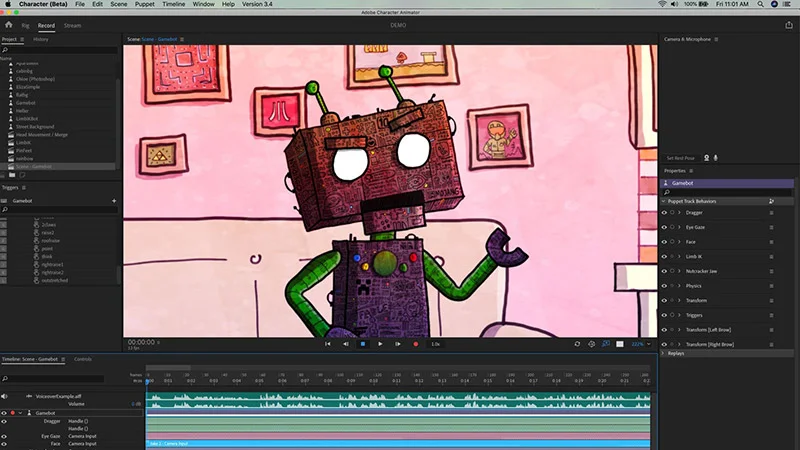
Cartoon Animator 4.4, bring still images to life!
Cartoon Animator 4 software is suitable for all users, including beginners as well as professionals who want to create attractive and high-quality animations. This software allows you to have full control over your 2D characters and create a professional animation. With this program, you create your own 2D characters or change the characters, images and animations in the software to your own taste. In short, you can easily turn any still image into a high-quality animated image. This software also supports features such as facial recognition and many simple and more advanced features, depending on the version you use, and animates the facial features of different characters. Possibilities: Drag and drop support in the software environment
Automatic creation of lip movement (Lip-Sync) for text and audio files
4K video support
tools for creating two-dimensional characters, including rigging tools
Tools to create talking heads and apply them to any character.
Recording live facial movements from all angles
Head rotation up to 360 degrees;
Support for many popular image and video formats 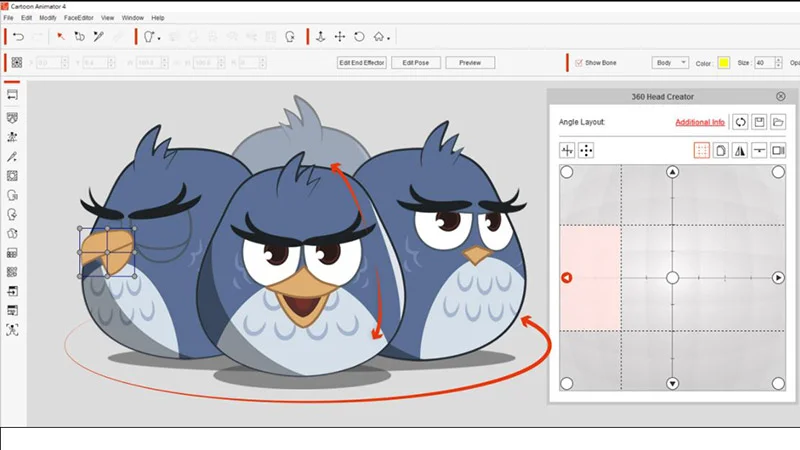
Moho Debut & Moho Pro .5, powerful but simple
While Moho is intended for beginners, even kids, it has powerful features that will transform your view into an animation. Completely different tools with an easy-to-use interface will help you create a high-quality animation. This software is also suitable for making 2D and classic animations, whose market is very hot in virtual networks. Possibilities: Support for English, Spanish, French, German, Chinese and Japanese languages.
Animated effects for layers and shapes.
Smart overlay for images and vectors
Having a handy and powerful tool for manual drawings
Ability to work with multiple layers in projects
Ability to create high quality animation
FBX support for Unity Game developers
Preview animations
Ability to combine video, audio and animation 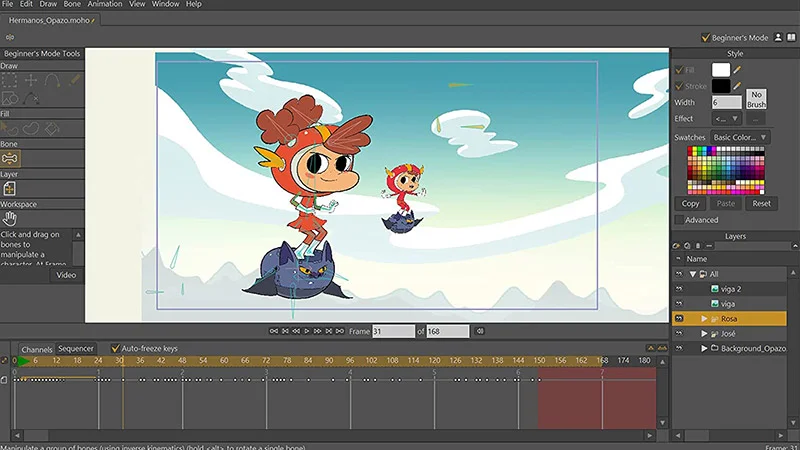
6. Stunning 2D animations with Toon Boom Harmony
Toon Boom Harmony is a powerful combination of traditional and digital tools for creating professional projects. It is a great animation software that is used by beginners as well as very experienced animators. With this product, you can create any type of animation, including two-dimensional, three-dimensional, using different images or even scanned drawings. This popular software shares advanced tools and features with you and fulfills all the needs of an animator. Possibilities: The possibility of combining two and three-dimensional objects and creating hybrid works
High performance in animation production
The possibility of rain, fire, dust, etc.
Good ability to animate animated characters
Ability to output for Unity game engine
The ability to import multi-layered PSD files, illustrator files, pdf and...
The possibility of scripting
Runs on Windows and macOS;
Advanced palettes and painting tools that provide effective control over texture and color.
Merging 3D elements with 2D characters
Different camera angles 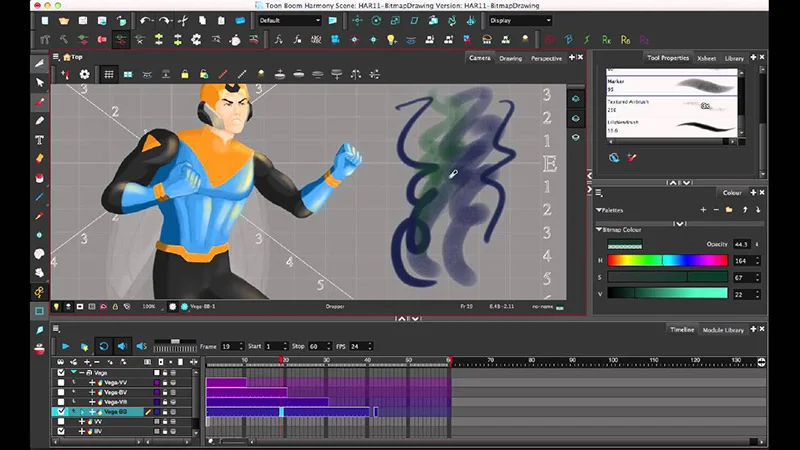
7. Creating a 3D world with Blender
Blender is a widely used and free suite for creating 2D and 3D. Blender allows you to collaborate cross-platform and provides you with a powerful set of tools. With Blender you can create more and more different 3D animations, video games, renderings, models and projects. This software is developed by many contributors from all over the world and is full of unique features for beginners as well as professional users. Possibilities: Available for Windows, macOS and Linux
advanced modeling, design and UV tools;
Powerful visual effects: automatic and manual tracking, camera reconstruction, instant preview of tracked footage and 3D scenes, and more.
Design in 2D mode on 3D viewport.
High-quality 3D architecture to create fast and efficient workflows
Cross-platform with the same OpenGL UI on all of them 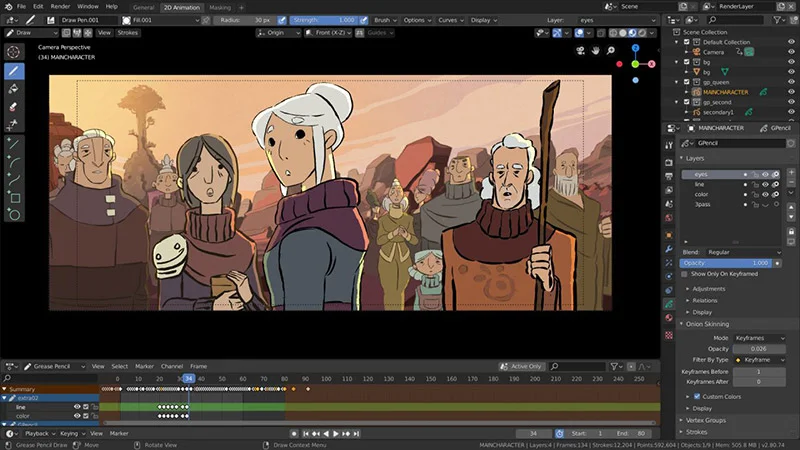
Pencil2D .8 to start animating
If you're into traditional animation style, Pencil 2D might be a great software to start your animation project. This free software allows you to create static and animated paintings with the ability to create nested bitmap layers. Use raster and vector graphics and easily switch between the two types of artwork. It also has a set of default shapes and images for designing a desktop software or mobile application. This is a completely free software and you can easily access it. Possibilities: Runs on Windows, Mac OSX, Linux and Free BSD
Support raster and vector images
Provide bugs by default
Very simple user interface
HTML format support
LibreOffice, Inkscape and Adobe Reader software support 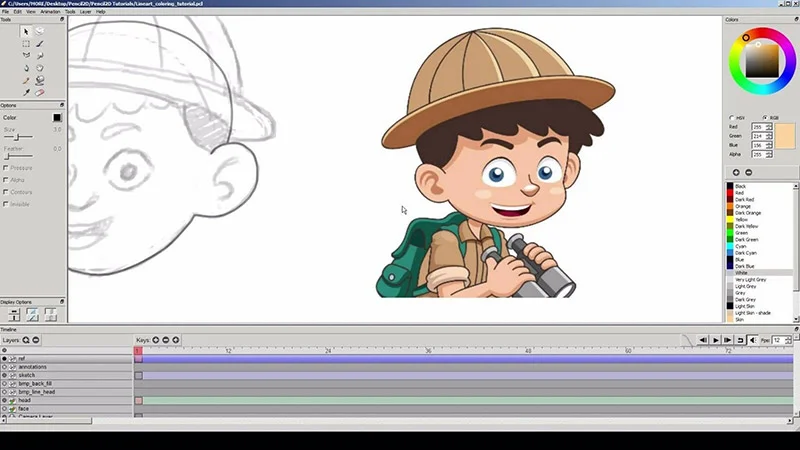
Synfig Studio .9 simple and free
Synfig presents a simple and user-friendly environment in front of you. It's good to know that Synfig Studio is vector-based, giving you full control over editing vector artwork in animation, and since it fully supports layered design, you can create your artwork with a lot of flexibility. Design and make it closer to your desired model with changes. Fortunately, Synfig is 100% free and you can use it on Windows, Linux, and Mac. Since the software is open source, you can also access the source code. Possibilities: More than 50 types of layers, including geometric, gradient, filter, transform, etc
Control your character using the bone system and complex transformations
Generation of layers in parametric form
Compatible with all types of layers
No pixelation of the animation by enlarging it 
Animaker .10 with various portfolios
Animaker is an excellent online animation production tool, and each version has features that help users create amazing animated videos in a variety of styles. With Animaker, you can create 2D videos, animated infographic videos, animated typography, and more. Infographic video is a type of explainer video that is made to promote a product or service and explain it. In the following, you will get acquainted with the attractive features of this program: Possibilities: Horizontal and vertical video layouts
Audio features: text-to-speech, background music, sound effects, audio recording, plus the option to import your own custom sounds
Full HD video support
A library of pre-designed templates
Animated infographic maker with more than 100 charts, 1000 icons and 3000 maps
Advanced features for animation like recording, camera in and out, transition effects, enter/exit effects 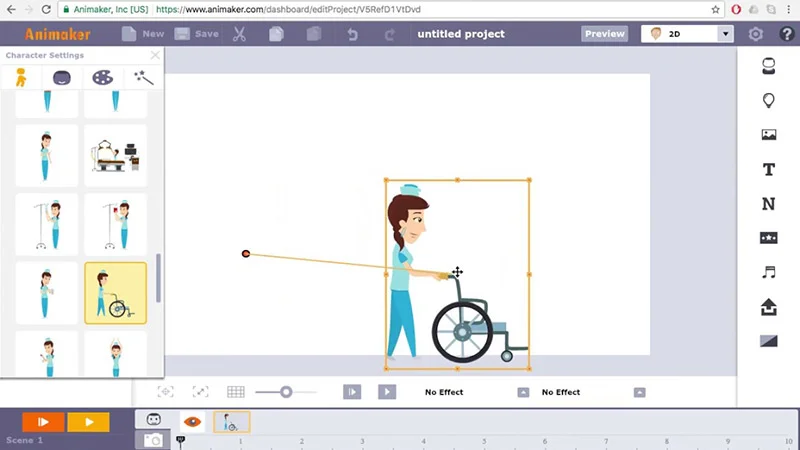
11. Turn your story into animation with Vyond!
Vyond Studio is an online animation creation tool that provides a convenient environment for users of all skill levels. With this program, users can create excellent professional animations, including explainer videos and a variety of animated videos. This online tool allows you to unleash your creativity and create amazing animations based on your story characters, data visualizations, and ideas. Possibilities: A rich library of pre-made templates
A set of entry and exit effects for static images
A library of characters for complete customization
teamwork
Automatic lip sync
Camera tool and camera angle 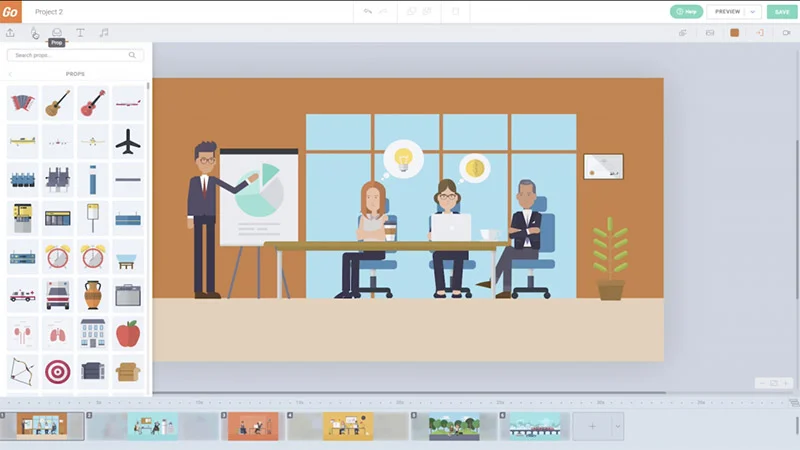
12. A user-friendly environment with Moovly
Moovly is a fun and free online tool for creating animated videos for various purposes such as social media, advertising, explainer videos, presentations and more. This tool is suitable for users of all levels as well as large and small businesses. One of the positive aspects of this software is its ease of use. Moovly provides a library of templates as well as images, videos, and audio files to choose from, leaving your hands open. Possibilities: User friendly interface
A library of templates, images, video clips and audio files.
Upload your media easily
Download and sharing options 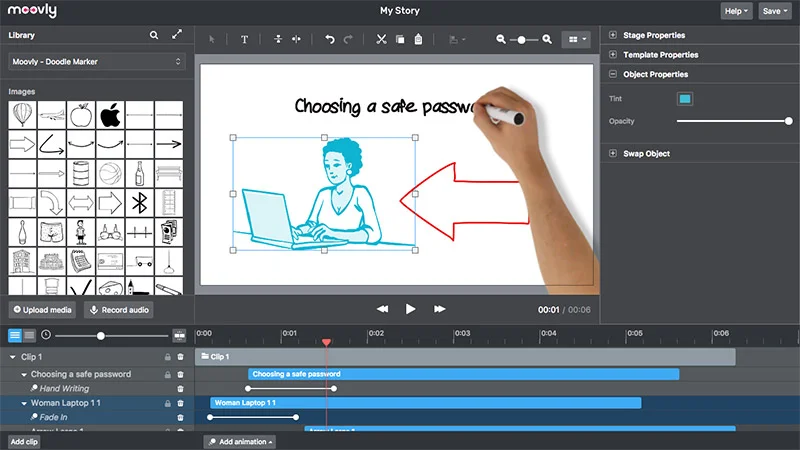
[ دوشنبه شانزدهم بهمن ۱۴۰۲ ] [ 22:15 ] [ ]
|
|
